 Kursa
Show prices in your shoppers' currency
Kursa adds a currency switcher to your Shopify store. Shoppers pick a currency and prices update from product page to cart. Free.
Free. No paid plan, no extra account.
Ceramic vase
White / Blue
$20.00 USD
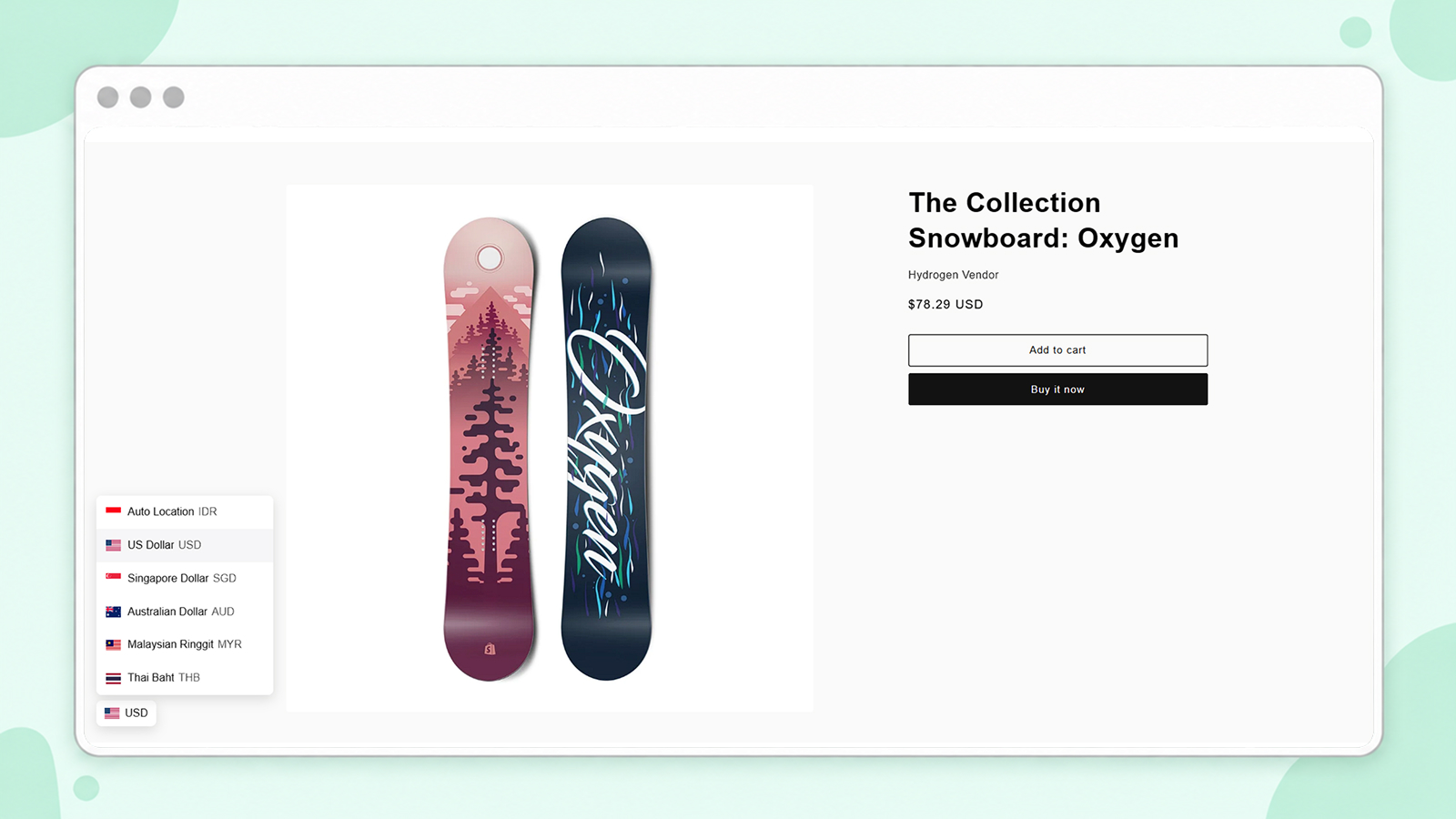
What it looks like on a real store
The switcher sits in the corner of the page, with country flags and currency codes.
How it works
Three steps in Shopify admin, without editing theme code.
- 1
Choose your currencies
Enable Kursa and pick the currencies you want to offer shoppers.
- 2
Paste the money formats
Copy two HTML snippets from Kursa into Shopify's money format settings.
- 3
Turn on the app embed
Enable Kursa in your published theme, then check your store.
Made for your store
Choose the currencies
Pick which currencies shoppers can choose. Show flags, currency codes, or both.
Match your store
Set colors, borders, shadows, and position, with separate desktop and mobile placement.
Remembers their choice
The selected currency stays as shoppers move between pages or come back later.
From product to cart
Product prices, cart line prices, and totals are converted. Add-on prices use their own amounts.
Clean rounding
Set rounding rules and show currency codes next to prices.
Checkout stays with Shopify
Kursa only changes how prices are displayed. Checkout and payment currency stay with Shopify.
Using Murdeni Rate Sync? Your USD prices stay fixed.
A regular converter calculates USD from your IDR price, so the USD price moves with the exchange rate. With Rate Sync, Kursa uses the fixed USD price you saved, so shoppers always see the same price.
- USD prices don't shift when the rate changes
- Other currencies are calculated from the same USD price
- Kursa is required for Rate Sync
Free for every store
No paid plan and no extra account. Install from the Shopify App Store and follow the setup guide.